
How to Check Tesla Aftermarket Part Fitment
Buying an aftermarket part for your Tesla should feel exciting — new wheels, a fresh front lip, upgraded interior trim — not risky. But nothing is more frustrating than opening a box only to find the part doesn't fit your car.
Teslas look deceptively similar on the outside. A 2021 Model 3 and a 2024 Model 3 (Highland) are two very different cars underneath, and even within the same model, Tesla quietly changes parts mid-production without warning. That's why checking fitment before you order is the single most important step in buying Tesla aftermarket parts.
This guide walks you through exactly how to do it — no guesswork, no wasted money.
Why Tesla Fitment Is Trickier Than Other Cars
Most car brands change parts on predictable model-year cycles. Tesla doesn't. Tesla runs continuous production changes, meaning two cars built months apart can have different parts — even when they're the same model.
A few real examples that catch buyers out:
- Model 3 Highland (2024+): The facelift changed the front and rear bumpers, headlights, hood, and interior almost entirely. Pre-2024 Model 3 parts simply won't fit a Highland — and vice versa.
- Model Y Juniper (2025+): The refreshed Model Y followed the same pattern, with new front/rear fascias and lighting.
- Mid-cycle running changes: Components like control arms, center consoles, charge port doors, and window trim have changed partway through a production year with no announcement.
- Regional differences: Cars built in Fremont, Shanghai, Berlin, and Austin can have subtle variations for the same model and year.
The lesson: "It fits a Model 3" is not enough information. You need to be more specific — and this guide shows you how.
Step 1: Know Your Exact Tesla (Model, Year, and Variant)
Start with the basics, but be precise:
- Model: Model S, Model 3, Model X, Model Y, or Cybertruck
- Model year: Use the build date, not just the registration date. A car registered in 2024 might have been built in late 2023.
- Variant: Performance, Long Range, Standard Range / RWD — where relevant. Some parts (brakes, suspension, badges, wheels) differ by trim.
- Pre- or post-facelift: This is the big one. Model 3 splits into Pre-Facelift (2017–2023) and Highland (2024+). Model Y splits into Pre-Facelift (2020–2024) and Juniper (2025+).
Where to find the build date: Open the driver's side door and check the certification label / tire and loading information sticker on the door jamb. It shows the month and year of manufacture.
If you're between two "model years," always trust the door-jamb build date.
Step 2: Decode Your VIN
Your Vehicle Identification Number is the fastest way to confirm exactly what you're driving — and reputable sellers will ask for it if there's any doubt about compatibility.
Where to find your VIN:
- Driver's side dashboard, visible through the windshield
- Driver's side door jamb sticker
- Tesla app: tap Profile > your vehicle, or check the "About" section in the car's touchscreen
- Your registration or insurance documents
How to read a Tesla VIN (positions that matter for fitment):
| VIN position | What it tells you |
|---|---|
| Position 4 | Body type / model line (Model S, 3, X, Y, Cybertruck) |
| Position 10 | Model year (e.g., 2021 = M, 2022 = N, 2023 = P, 2024 = R, 2025 = S, 2026 = T) |
| Position 11 | Assembly plant (F = Fremont, etc.) |
The full 17 characters also encode battery type, motor configuration, and restraint system — which is why sharing your VIN with a seller lets them verify fitment precisely.
Privacy tip: Sharing your VIN with a parts seller is normal and generally safe — but only with sellers you trust. Never post it publicly on forums or social media.
Step 3: Match the OEM Part Number (The Gold Standard)
Every genuine Tesla part carries a Tesla part number (usually a 10–11 digit code like 1234567-00-X or 1001234-00-X). This is the single most reliable way to confirm fitment — if the aftermarket part is designed to replace a specific OEM number, and your car has that number, you're set.
How to find the part number you need:
- Physically inspect the old part. Many parts have the number molded, stamped, or printed on them (remove the part or look underneath/behind it).
- Check the packaging or invoice of a part you're replacing.
- Ask Tesla service for the part number applicable to your VIN — useful for mechanical and electrical components.
- Use a Tesla parts catalog / EPC lookup tool. Several online catalogs let you enter a VIN and see the exact part numbers installed on your car.
- Ask the seller. Send them your VIN and the part you need — a professional Tesla parts exporter does this verification every day and can confirm compatibility in minutes.
When comparing, match the base number (the digits before the dash suffixes). Tesla's dash suffixes (-00-X, -01-X, -02-X) usually indicate revisions of the same part — a newer revision typically supersedes the older one, but confirm with the seller if the suffix differs significantly.
Step 4: Watch for the Common Fitment Traps
Even with the right model and year, these situations trip up buyers constantly:
1. Facelift crossover confusion. Cars built near the facelift transition (late 2023 Model 3, late 2024 Model Y) are frequently mis-listed by sellers and mis-ordered by buyers. When in doubt, ask the seller to confirm whether your build date falls before or after the changeover for your market.
2. "Fits all Model 3" claims. No body or interior part fits all Model 3s. Treat universal-fit claims with skepticism — only generic accessories (floor mats with trimming, phone mounts, some screen protectors) truly span generations.
3. Regional build variations. If your car was built in Shanghai but the part was designed for Fremont-built vehicles (or vice versa), small differences can matter for bumpers, lights, and trim pieces. Tell the seller where your car was delivered/sold if you're outside North America.
4. Performance vs. Standard differences. Model 3/Y Performance cars have different wheels, brakes, suspension, and sometimes bumpers (front splitter, rear diffuser) than Long Range or RWD trims.
5. Mid-year running changes. For mechanical parts especially (control arms, charge port actuators, window regulators), verify by VIN or OEM part number rather than by year alone.
Step 5: Measure Before You Order (For Wheels, Splitters, and Accessories)
Some parts require physical measurements:
Wheels and tires — the critical numbers:
- Bolt pattern: All Model 3 and Model Y use 5×114.3; Model S and Model X (post-2021 refresh) use 5×120. Get this wrong and nothing bolts on.
- Center bore: 64.1 mm on Model 3/Y. Hub-centric rings are needed if the wheel's bore is larger.
- Offset (ET): How far the wheel sits in or out of the fender. Wrong offset = rubbing or a scrubbed tire.
- Tire diameter: Stay close to stock overall diameter or your speedometer and range estimates drift.
Body kits, spoilers, and lips: Confirm whether the part is designed for your exact generation, and check whether it's a direct bolt-on using factory holes or requires drilling/taping. Quality manufacturers state this clearly.
Interior trim and screen accessories: Screen size and shape changed across generations (15" vs. rear screens, Highland's integrated rear display). Measure your screen's width and height and compare against the product listing.
A quick tip: keep a small measuring tape in your glovebox and photograph any part number you find. Your future self will thank you at checkout.
Step 6: Buy From Sellers Who Verify Fitment For You
The easiest fitment check is choosing a seller who does it for you. Before ordering, check whether the seller:
- Lists exact compatibility — model, generation, years, and trim — not just "fits Tesla"
- Asks for your VIN (or offers to verify it) on body and mechanical parts
- Cross-references OEM part numbers in the product listing
- Has Tesla-specialized knowledge — generalist auto-parts stores miss Tesla's running changes constantly
- Responds fast when you ask "will this fit my car?" — with a specific answer, not a copy-paste reply
A seller who exports Tesla parts full-time handles these questions daily and can confirm fitment from your VIN within minutes. That's a far better safety net than any guesswork.
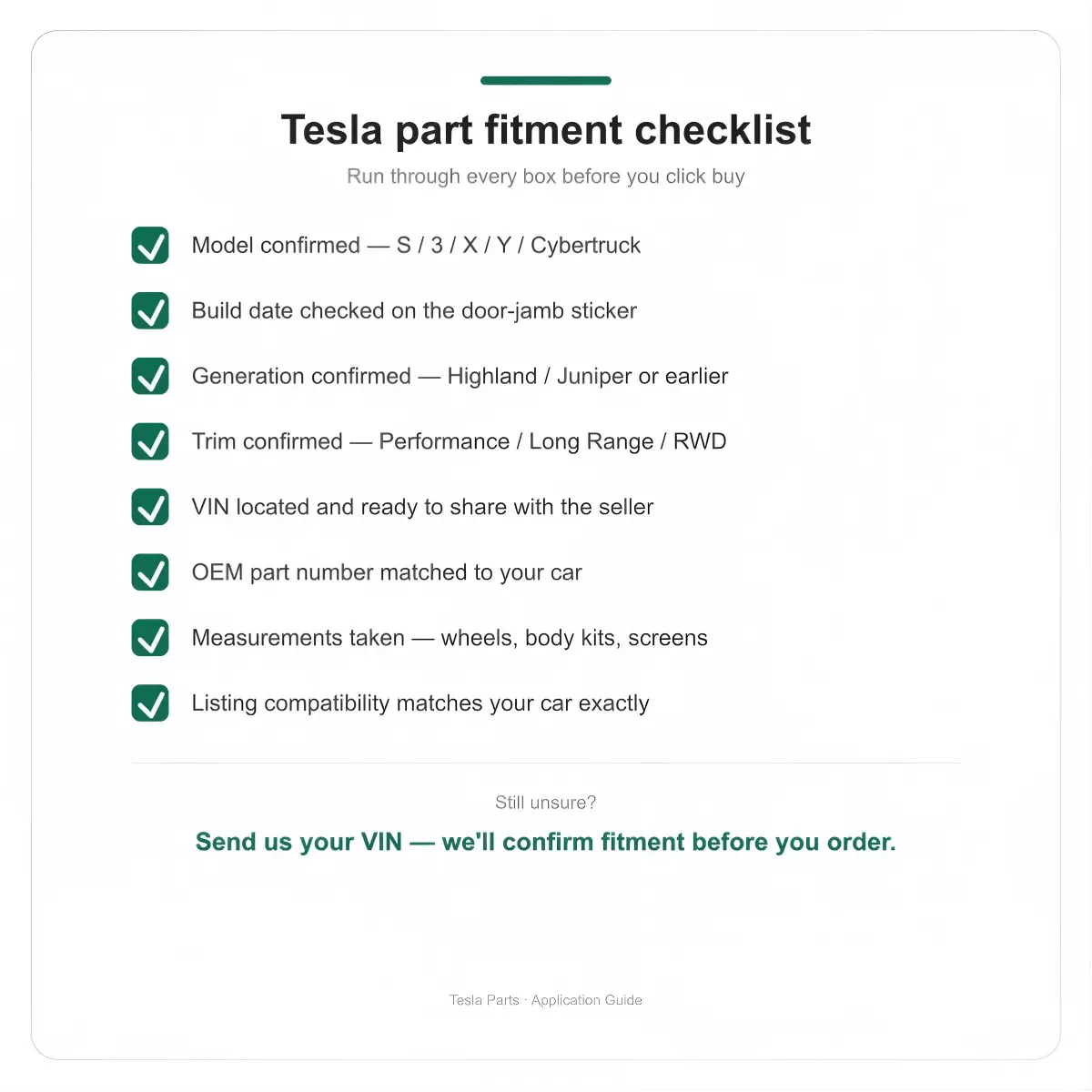
Quick Fitment Checklist (Save This)
Before you click "Buy" on any Tesla aftermarket part, run through this:
- ☑ Model confirmed (S / 3 / X / Y / Cybertruck)
- ☑ Build date checked on the door-jamb sticker
- ☑ Generation confirmed (pre-facelift vs. Highland / Juniper)
- ☑ Trim confirmed (Performance / Long Range / RWD) where relevant
- ☑ VIN located and ready to share with the seller
- ☑ OEM part number matched (for body, mechanical, and electrical parts)
- ☑ Measurements taken (for wheels, body kits, and screen accessories)
- ☑ Seller's compatibility listing matches your car exactly
If you can tick every box, the part will fit. Every time.
Frequently Asked Questions
Can I use a Tesla VIN to check part compatibility for free?
Yes. Your VIN tells you the model, year, plant, and configuration. Combined with a Tesla parts catalog lookup or a knowledgeable seller, it's enough to verify fitment for the vast majority of parts.
Do pre-2024 Model 3 parts fit the Highland refresh?
Generally no. The Highland facelift changed the bumpers, lights, hood, and interior. Unless a listing explicitly states Highland compatibility, assume pre-facelift parts won't fit.
Are Tesla parts different between the US, China, and Europe?
Mechanically, the cars are largely the same. But body panels, lights (homologation), and some trim can differ by factory and market. If your car was sold outside North America, mention that to your seller.
What's the most common fitment mistake Tesla owners make?
Ordering based on model year alone while ignoring the facelift generation split — especially around 2024 Model 3 and 2025 Model Y. It accounts for the majority of returns.
Do I need my VIN to order floor mats and small accessories?
No. Interior accessories usually fit within a generation, so knowing your model and generation is enough. VIN verification matters most for body, mechanical, and electrical parts.
Still not sure if a part fits your Tesla? Send us your VIN and the part you're looking at — we'll confirm compatibility before you order. That's what we're here for.